Study of simple Fire
Goal was to make very simple fire that can be rotated and customized as environment artist see fit. It can be scaled and colourized. Goal was to make it on 1 ribbon instead of few particles. Ribbon can be controlled and moved so we can hide loop of texture. All textures was generated on EmberGen.
This is attempt to make quality fire that is using every way to be cheap and fluid. Those are 3 similar systems in Niagara that are using Ribbons to display looped texture with motion vectors

This is texture generated in EmberGen. Motion Vectors are also made in EmberGen.

Motion Vectors from EmberGen
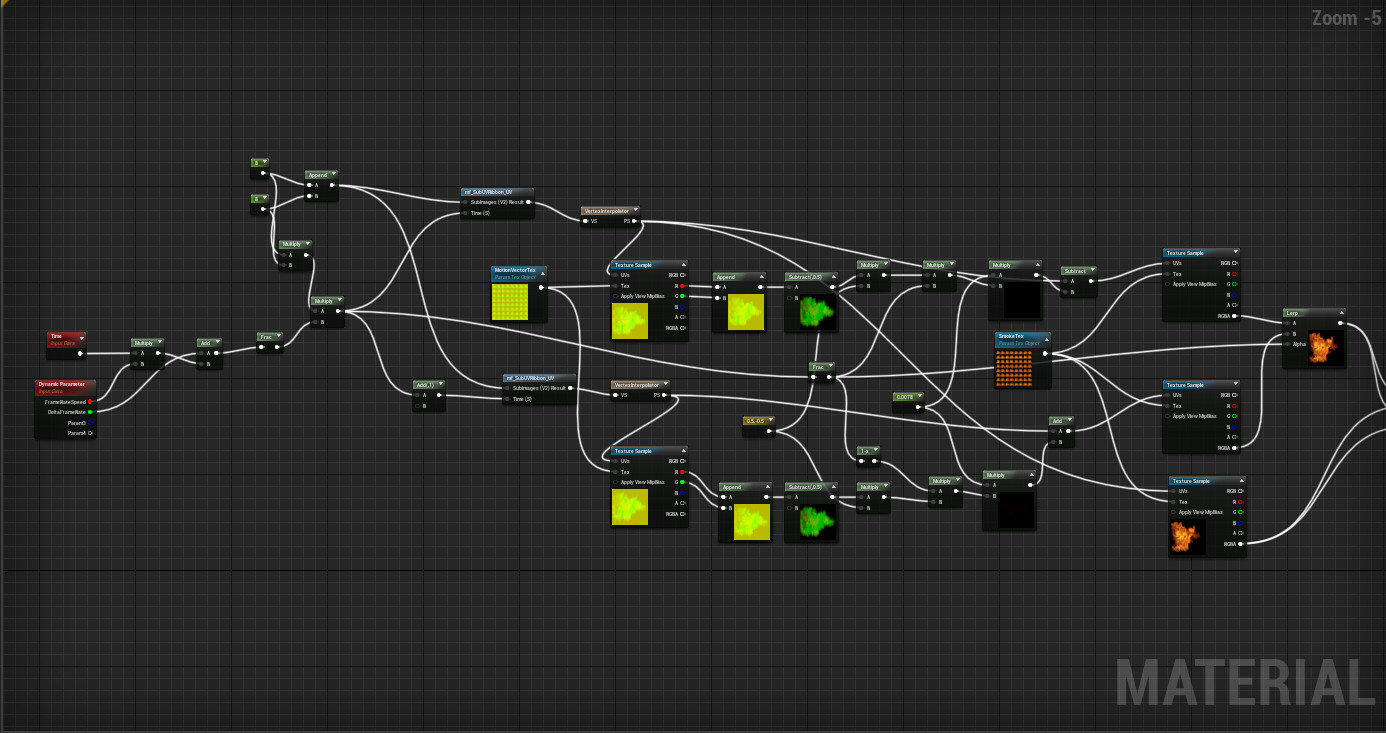
1st Half of material of fire. There is EmberGen version of motion vectors with looped texture.

Material got high quality version and simpler for low end PC.

UVs are rotated 90 degrees so they can be used on ribbons.

Ribbon in Niagara is using additional data to hide looping. This is random vector that move with same velocity trying to reach random value. Every time it reaches border of target value - value is changed. It is used for bending shown on video.

Same as wandering vector this is wandering float. It is used for small flickering of fire to hide looping.

Ribbon is calculated like this. Start and end vector are star and end of ribbon. Distort vector is calculated in wandering vector node and is moving top of ribbon. BlendExp is ratio controlling how much distort is reduced moving away from top position.